Live

The debate in the room. The vote on the phone.

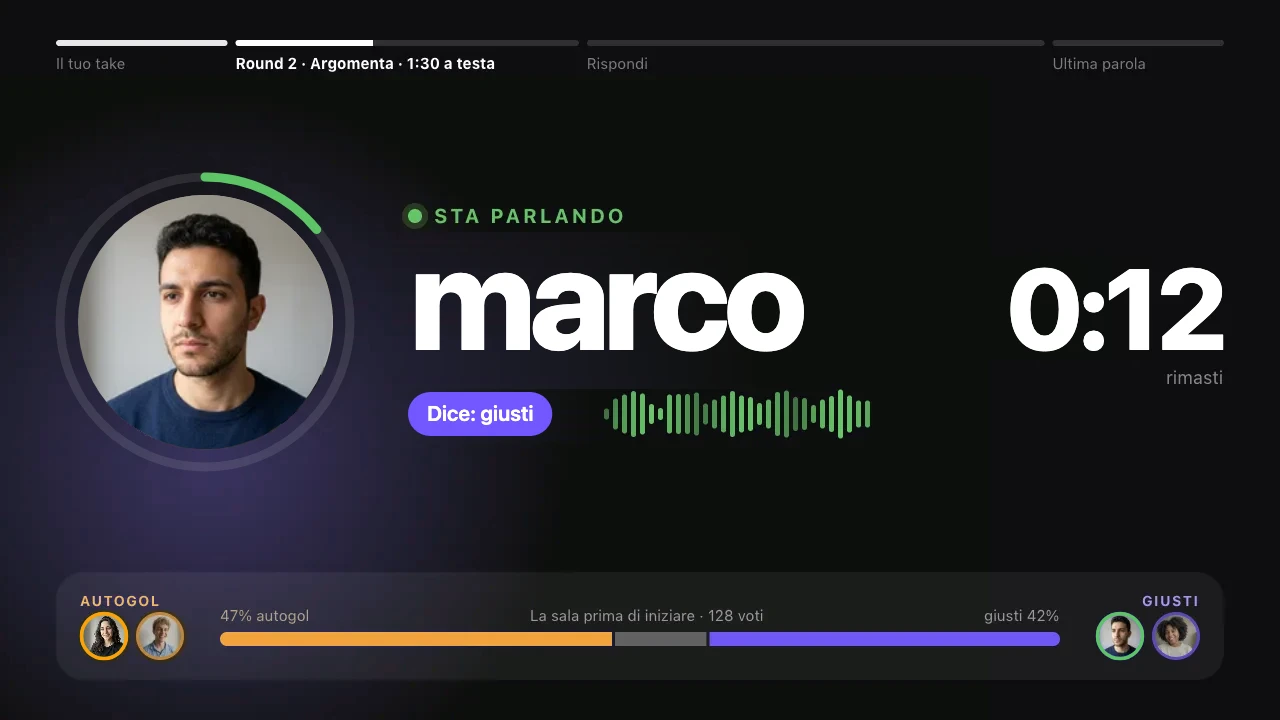
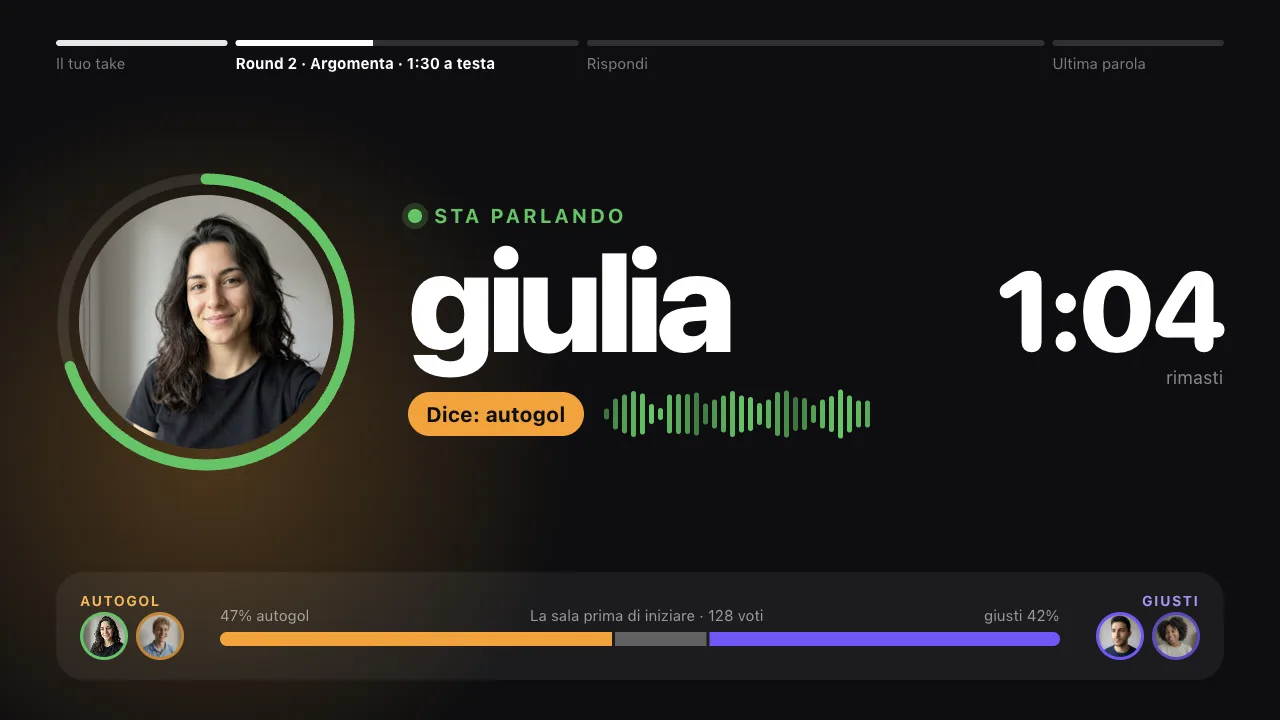
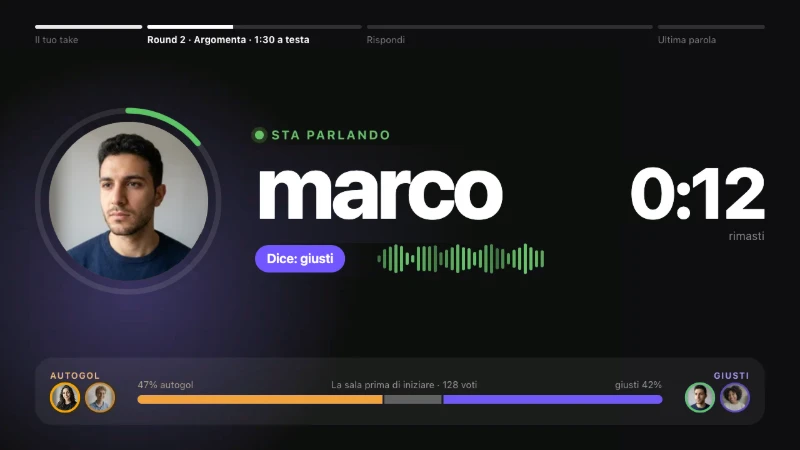
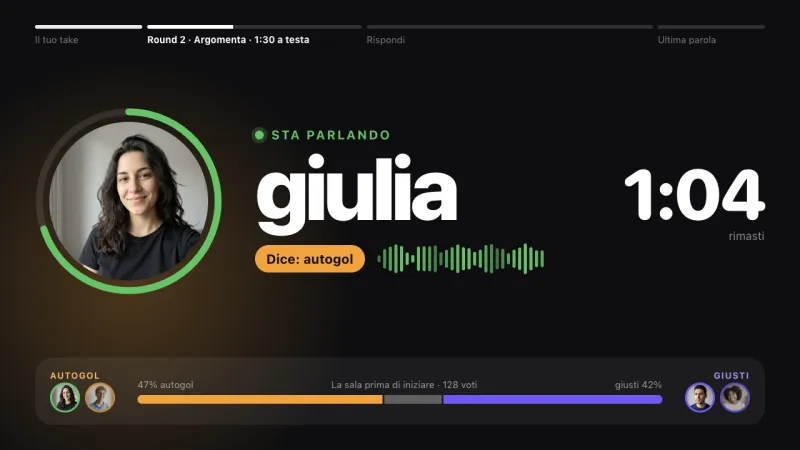
Like Kahoot, but for debating. The speakers talk live, the audience joins with a code and votes: before, after, and who convinced them. On screen, how many people changed their mind.

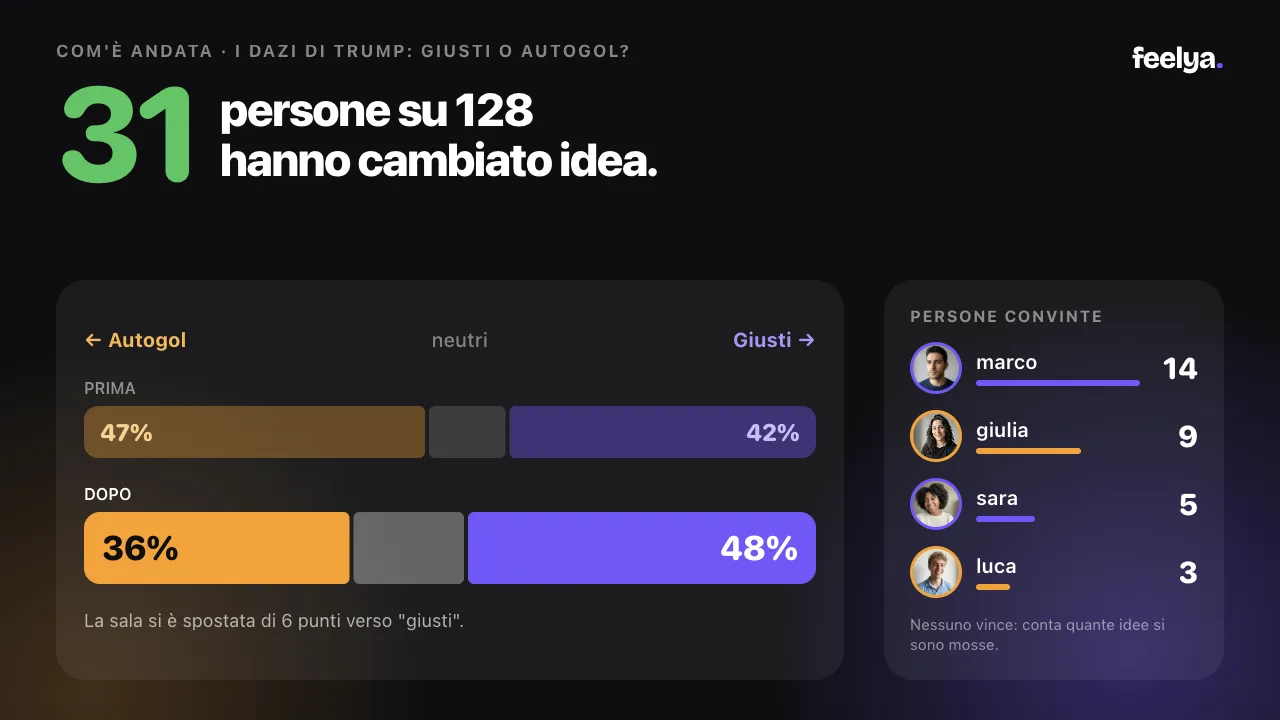
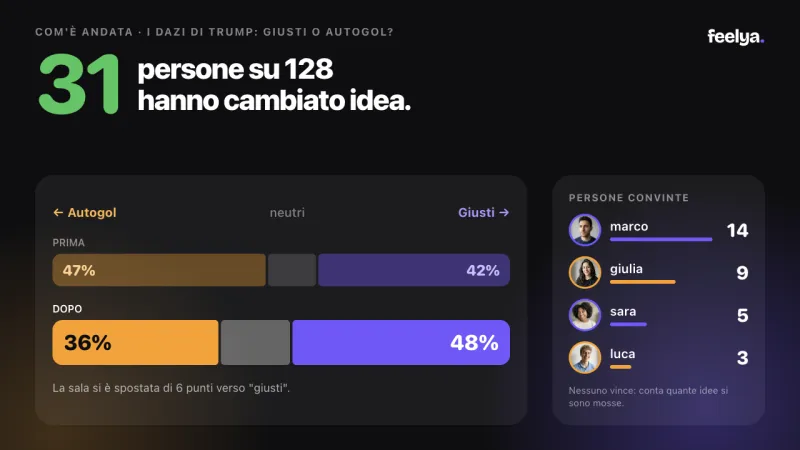
School assembly in the main hall: two speakers on stage, the room holding their phones, and the result on the screen, 31 people out of 128 changed their mind

31 of 128 changed their mind

Illustrative image
For organisers

Set it all up from your phone, in two minutes.

Create the lobby, pick who speaks, set the times. Then the room joins with a code.

  1. Create the lobby

    Tap the +. Pick 4 or 6 speakers, with an audience or just the people talking.

  2. Add the speakers

    Find them by @tag. Everyone picks their own side.

  3. Build the running order

    Start from a preset and change the times. Save it and it’s there next time.

  4. Let the room in

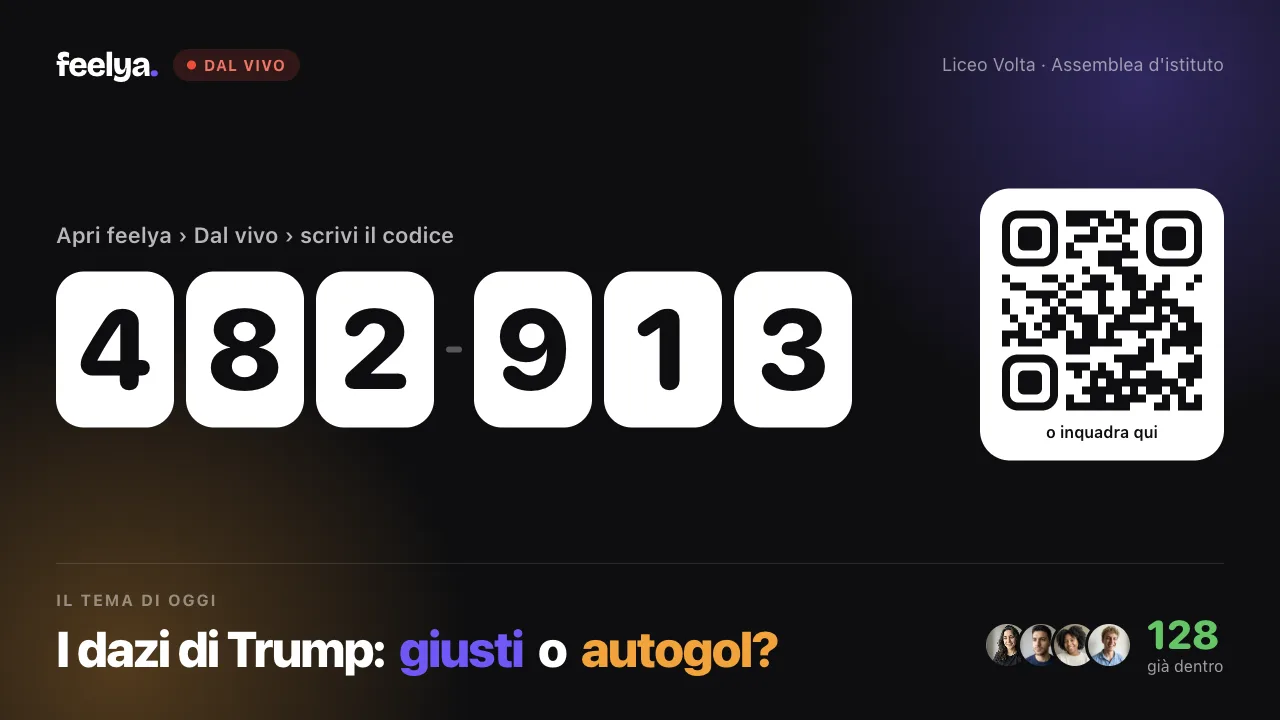
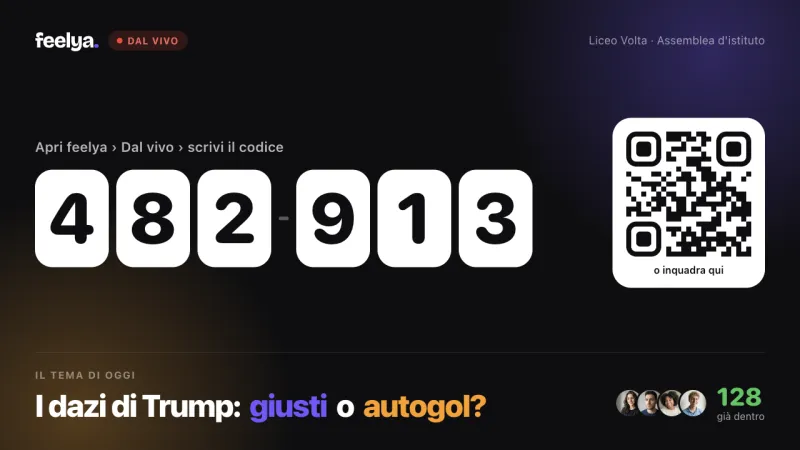
    Show the code and the QR from your phone, or project them. Then run the show: pause, +30 seconds, pass the mic.

Does it fit in your lesson? Try the calculator

The projector

Projecting is easy. Really.

Any computer, an HDMI cable, and the screen follows the show on its own.

Skip the animation
  1. On the computer, open feelya.it/proietta. Nothing to install.

  2. Scan the QR with your phone. Or sign in with Google or Apple.

  3. Tap Start projecting and plug in the HDMI.In the room: 128

  4. Run the show from your phone. The screen follows on its own.

  5. The room votes. The screen tells the story: how many people changed their mind.31 people out of 128 changed their mind

  1. On the computer, open feelya.it/proietta. Nothing to install.

  2. Scan the QR with your phone. Or sign in with Google or Apple.

  3. Tap Start projecting and plug in the HDMI.

  4. Run the show from your phone. The screen follows on its own.

  5. The room votes. The screen tells the story: how many people changed their mind.

    31people out of 128
    changed their mind

Run it from your phone or your computer.

Whatever you do on one, the other sees too. Use whatever’s in your hand.

From the computer

Three keys and a menu in the corner.

In full screen, move the mouse to the bottom right: this menu opens.

  • F

    Full screenOnly feelya stays on the screen.

  • esc

    ExitBack to the normal window.

  • 123

    Switch screenCode and QR, speaker, results.

From the phone

Full control, from the app.

  • Pause, +30 seconds, pass the mic
  • Pick what goes on the screen
  • No projector? The QR opens full screen on your phone: just turn it to the room.

The audience votes in 5 seconds.

Everyone joins with the code or the QR and votes from their phone: before it starts, at the end, and who convinced them. You can change it until you tap Confirm.

The screen only shows the result for the whole room, never one person’s vote.

Your turn: tap a dot

Live · 482 913

Before it startsTrump’s tariffs: fair or own goal?

Which side are you on?

You can change it until Confirm

Flags

One in the middle. Everyone around. One red flag each.

A special guest brings their ideas. Anyone who wants to sits down across from them and pushes back. If more than half raise the red flag, the person changes.

Inspired by Jubilee’s Surrounded.

  1. Everyone in a circle, each with their own phone.

  2. In the middle, the special guest. Across, whoever answers.

  3. Every claim has its own clock.

  4. Not convinced? Raise the red flag.

  5. More than half? The person changes.

  6. First to tap the dot sits down. Or it’s a draw.

On the room’s screen: in the middle the special guest marco and luca sitting across from him, speaking; above them the claim «Trump’s tariffs are fair» and the claim timer; around them a circle of 14 people. Anyone not convinced raises the red flag from their phone: we ask them to confirm first, then it can’t be taken back. When more than half the flags are up, 8 of 14, whoever is sitting goes back to the circle and the timer stops. The next one to sit is whoever taps the dot first, or whoever is drawn among those who raise their hand: in this scene sofia taps first.

A gym seen from above: a circle of teenagers, two chairs facing each other in the middle, and a few raised phones lighting up red
Illustrative image. This is how it goes in a real gym.
  • The flag stays up.

    We ask you to confirm before you raise it. Once it’s up, it stays up until the switch.

  • The clock belongs to the claim.

    10 minutes per claim. If the person changes at 8:00, it picks up from 8:00. The first minute of whoever sits down is protected.

  • Who sits down next?

    Two ways: whoever taps the dot first, or a draw among those who raise their hand. Whoever goes back to the circle can’t sit again on the same claim.

Who sits down now?

When the chair across from the special guest is free, the host picks one of two ways. Try both on the phone.

  • First to tap

    A green dot shows up on everyone’s screen, in the same spot at the same moment. The first to tap it sits down and speaks.

  • Draw

    Anyone who wants to answer on this claim raises their hand from their phone. Among those who did, the app draws one at random.

The dot’s timer starts when you see it: a slow connection doesn’t hold you back. Whoever just went back to the circle can’t sit again on the same claim.

9:41
FlagsWho sits down now?«Trump’s tariffs are fair» · 7:42

On go, the dot shows up here, in the same spot for everyone. The first to tap it sits down.

How much is it?

Talking costs nothing. You only pay when there’s a room voting.

Lobby

Freealways

Talk in 4 or in 6, one turn each.

  • Tables of 4 or 6, no limits
  • Audience voting from their phones
  • Projector and controls
  • feelya Flags

No subscription.

With the audience and everything

5,99 €per event, Single Pass

feelya Host+9,99 €/month or 79,99 €/year

  • Everything in the lobby
  • The room votes from their phones
  • Projector and controls
  • feelya Flags

Your first event with an audience is free.

Your next assembly, let the whole room speak.

4 or 6 people talk, the whole room votes from their phones. At the end you see who changed their mind.

By signing up you agree to receive a confirmation email and the launch notice. How we handle your address (in Italian)

I’m a teacher or a club